Disclosure: This post may contain affiliate links. If you click on a link and make a purchase, I may earn a small commission — at no extra cost to you. I only recommend tools and resources I genuinely find useful.
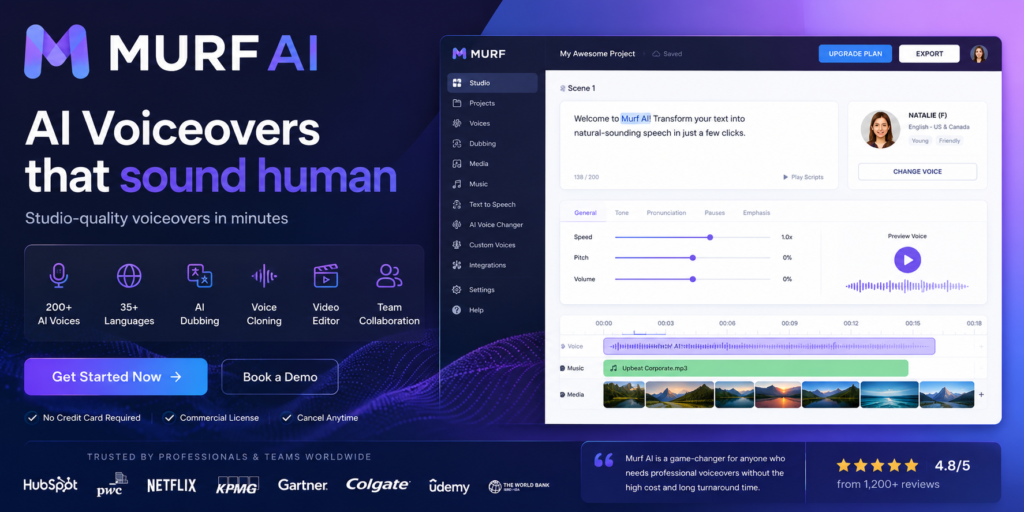
Artificial intelligence has completely changed the way audio and video content gets made. Until recently, professional voice-over work required a studio, a quality microphone, an experienced voice actor, and expensive audio editing software. Today, much of that process can be automated in just a few clicks.
Among dozens of platforms on the market, Murf AI stands out as one of the most complete solutions for generating realistic AI voices. Rather than being just another text-to-speech tool, Murf offers a full ecosystem for creating, editing, localizing, and managing audio content — from YouTube videos and podcasts to corporate training and product reviews.
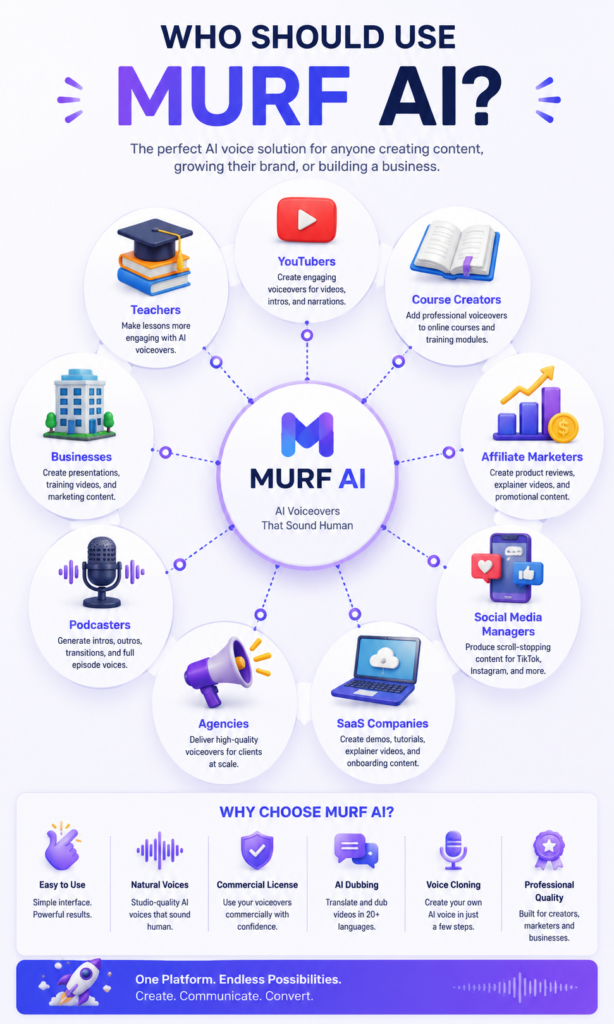
The platform is actively used by YouTube creators, digital and affiliate marketers, companies, teachers, eLearning organizations, SaaS businesses, podcasters, marketing agencies, and developers who automate speech generation through the API. This review covers what Murf AI offers, how it works in practice, its core features, pricing, and who it’s really worth it for.
What Is Murf AI?
Murf AI is a cloud-based (SaaS) platform that uses artificial intelligence to turn text into natural-sounding human speech. The company was built around making professional voice-over accessible to everyone — whether you’re a solo content creator, a small business, or a large international organization.
Unlike most standard text-to-speech tools, Murf offers a full working environment — Murf Studio — where you can:
- create AI voice-overs from text
- edit the pronunciation of any individual word
- adjust the speed, pitch, and intonation of the voice
- add natural pauses and emphasis
- sync audio with video on a timeline
- add music and sound effects
- translate and dub videos into dozens of languages via AI Dubbing
- automate speech generation through API integration
How Murf AI Works — Step by Step
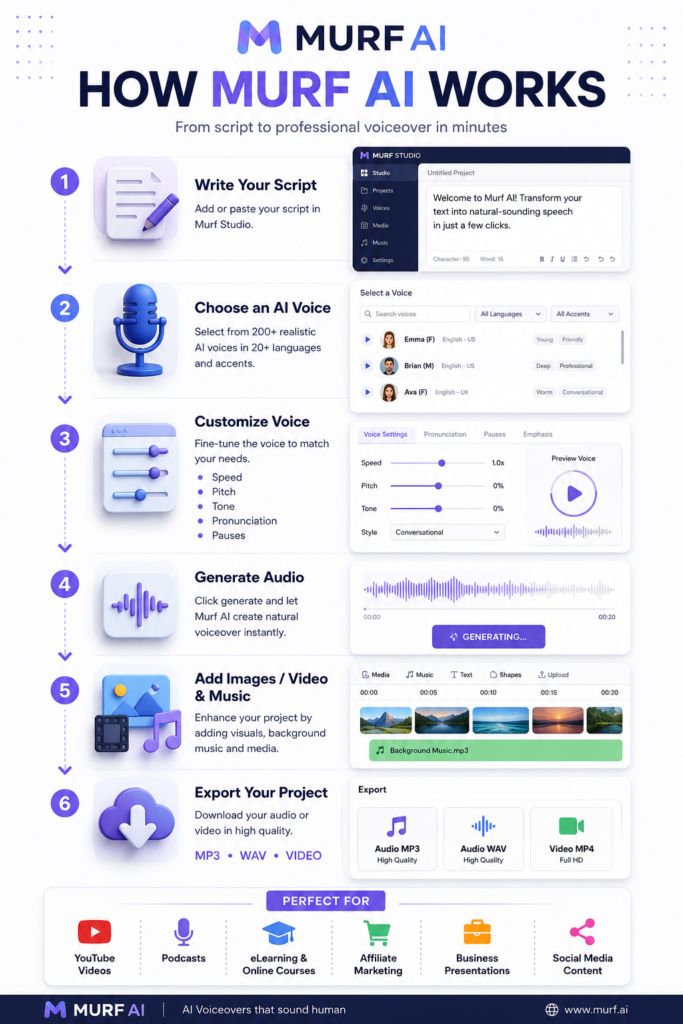
The workflow is surprisingly simple, even for complete beginners.
- Start a new project in Murf Studio and choose the content type — Voice Over, Video, Presentation, or Dubbing.
- Type or paste the text you want narrated.
- Choose an AI voice from a library of 200+ voices in more than 30 languages and accents.
- Fine-tune the result — speed, pitch, pauses, emphasis, pronunciation, and emotional style.
- Export the finished audio or video. The free plan has download limitations, and full commercial rights unlock with a paid subscription.
This level of control over the details is why the generated voice sounds significantly more natural than standard TTS solutions — the result resembles real human speech rather than a mechanical text reading.
Core Features of Murf AI
AI Voice Generator and Voice Library
The platform’s main feature is generating realistic AI voice-overs directly from text. The library includes over 200 professionally recorded voices in more than 30 languages and accents, suited for YouTube videos, TikTok, ads, presentations, training materials, podcasts, and audiobooks.
Voice Styles, Pronunciation Editor, and Pause Control
Murf lets you change not just the voice, but the style it speaks in — friendlier, more serious, more energetic, or more formal. The pronunciation editor allows you to correct brand names, technical terms, and foreign words, while pause control adds natural breaks between words and sentences so the speech sounds more human.
Pitch and Speed Control
Pitch and speaking speed are adjusted precisely — slower for training materials, faster for short ads, and a moderate pace for YouTube content.
AI Dubbing
One of Murf’s most impressive features. You upload a video in one language, and the platform recognizes the original speech, translates the content, and generates a new AI voice while trying to preserve the natural rhythm of speech and sync with the picture. AI Dubbing supports over 40 languages, making Murf a strong choice for companies that want to reach an international audience with minimal effort.
Voice Cloning
Murf also offers voice cloning for suitable plans and enterprise clients. The technology allows the creation of a custom AI voice for a brand, training materials, or automated systems, and the company requires explicit consent and follows policies for the ethical use of voice models.
Murf API and Integrations
Beyond content creators, Murf offers an API for developers, through which speech can be generated automatically in SaaS applications, chatbots, AI agents, phone systems (IVR), CRM solutions, and mobile apps. The API offers low-latency text-to-speech for interactive scenarios and different models depending on quality and speed needs.
The platform also integrates with popular tools such as Canva, Microsoft PowerPoint, Adobe Audition, Adobe Captivate, Zapier, Make, and n8n, making it easier to automate entire workflows without switching between multiple apps.
Murf AI Pricing Plans
Free — $0/month. Around 10 minutes of AI generation, access to premium voices for testing, limited export, and no commercial rights.
Creator — from $19/month, billed annually at $228/year. Built for YouTubers, bloggers, affiliate marketers, and freelancers, with up to 100 projects, all 200+ voices, and full commercial rights.
Business — from $66/month, billed annually at $792/year. Aimed at teams and companies, with up to 500 projects, expanded voice generation time, and a Business License.
Enterprise — custom pricing. Designed for large organizations, with custom voices, Voice Cloning, expanded API access, SSO, and dedicated support.
Pros and Cons
Pros:
- Excellent quality and naturalness of the AI voices
- Extremely easy, intuitive interface — first project ready in minutes
- A complete AI studio: voice generator, video editor, AI Dubbing, Voice Cloning, music, and API in one place
- Team collaboration and enterprise management features
- Numerous integrations with popular tools and automation platforms
Cons:
- Higher cost than some alternatives with heavy usage
- The free plan is suitable only for testing, not for serious daily use
- Full Voice Cloning is mainly available on higher-tier and enterprise plans
Who Is Murf AI For?
Murf AI is an excellent choice for YouTube creators, Pinterest and TikTok creators, affiliate marketers, online educators, eLearning companies, SaaS firms, marketing agencies, podcasters, and small to medium businesses. It’s less suited to users looking purely for a cheap tool for occasional short recordings, or those whose main priority is instant personal voice cloning at the lowest possible price.
Frequently Asked Questions
Is Murf AI free? Yes, there’s a free plan with limited capabilities for testing.
Is it suitable for YouTube? Yes, the platform is one of the most popular choices for YouTube voice-over content.
Does it come with commercial rights? Yes, but only on paid plans.
Can I clone my own voice? Yes, on a suitable plan and after meeting the consent requirements.
Final Rating
- Ease of use: 5/5
- AI voice quality: 5/5
- Interface: 5/5
- Video editing: 5/5
- Voice Cloning: 4/5
- AI Dubbing: 5/5
- API: 5/5
- Price-to-value ratio: 4/5
- Suitable for business: 5/5
- Suitable for beginners: 5/5
Conclusion
Murf AI is one of the most complete AI platforms for creating professional voice-overs, localizing video content, and building full audio projects. Its biggest strength is bringing a voice generator, video editor, AI dubbing, and API together in a single environment, instead of forcing users to juggle several separate tools.
For content creators, marketers, educators, and business teams, Murf AI offers a strong balance between functionality and ease of use. If you’re looking for an all-in-one solution for AI voice-over and video localization, this platform is definitely worth a spot among your top options in 2026.